
 Travel ports · photo soon
Benefits · gear · Updated 2026-10-22
a USB-C hub
A USB-C hub is worth buying when your thin laptop lacks ports for HDMI, SD, or ethernet and you need them on the go. It is not a full docking station—power delivery traps and flaky cheap hubs are the skip-ifs.
What research and agencies say
-
Type-C hubs extend a single port into several roles
USB-IF Type-C documentation explains alternate modes and multipurpose connectors—hubs package HDMI, USB-A, and card readers for thin laptops.
USB-IF — USB Type-C overview (2026-10-22)
-
Buy from sellers you can return
FTC shopping advice pushes clear return policies—hubs are notorious for intermittent failures, so a return path is part of the receipt.
FTC — Shopping online consumer advice (2026-10-22)
-
Handle unknown hubs like untrusted peripherals
CISA device-security tips are a reminder not to plug mystery hardware into work machines without policy—prefer known vendors for corporate laptops.
CISA — Tips for securing IoT and devices (2026-10-22)
The catch
If you already own a matched docking station for the desk, a hub is only for travel. Do not double-buy for the same ports.
Desk cluster

Who it’s not for
- Desks that already use a full dock.
- Buyers who need dual 4K from a bargain hub.
- Corporate machines that ban unapproved peripherals.
FAQ
Hub vs dock?
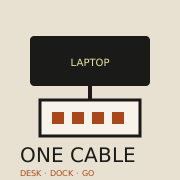
Hub = travel ports. Dock = one-cable desk. See /benefits/docking-station/.
Why won't it charge?
Many hubs need a PD pass-through brick. Check wattage against your laptop.
Who should skip?
Already-docked desks and banned-peripheral workplaces.
Sources
- USB-IF — USB Type-C overview — 2026-10-22
- FTC — Shopping online consumer advice — 2026-10-22
- CISA — Tips for securing IoT and devices — 2026-10-22
Affiliate disclosure: product links, when present, may earn a commission. They never buy the verdict. Full ads policy.