
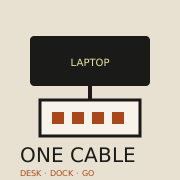
 One-cable desk · photo soon
Benefits · gear · Updated 2026-10-22
a docking station
A docking station is worth it when you plug in displays, ethernet, and power every workday and hate juggling dongles. Compatibility with your laptop's USB-C or Thunderbolt ports decides the receipt—wrong dock equals expensive paperweight.
What research and agencies say
-
USB-C/PD standards enable single-cable power + data
USB-IF Type-C materials describe a connector family that can carry power delivery and data—foundation for one-cable docks when laptop and dock both support it.
USB-IF — USB Type-C / power delivery overview (2026-10-22)
-
Thunderbolt docks unlock higher bandwidth displays
Intel's Thunderbolt overview positions high-bandwidth docks for multi-display and fast peripherals—relevant when USB-C alone is not enough.
Intel — Thunderbolt technology overview (2026-10-22)
-
Wired ethernet on the dock still helps call quality
FCC broadband guidance reminds buyers that stable upstream matters for video—a dock with ethernet can beat flaky Wi-Fi on call-heavy days.
FCC — Broadband speed guide (wired desk context) (2026-10-22)
The catch
A simple USB-C hub may cover travel and light desks. Buy a full dock only if you need dual displays, ethernet, and reliable power delivery daily.
Desk cluster


Who it’s not for
- People who only use a laptop on the couch.
- Buyers who will not check port compatibility.
- Light travelers who only need a small hub.
FAQ
Dock vs USB-C hub?
Hubs are travel-light. Docks target fixed desks with power and multi-display. See /benefits/usb-c-hub/.
Will it charge my laptop?
Only if power delivery wattage meets your model—read both specs.
Who should skip?
Travel-only use and unmatched ports.
Sources
- USB-IF — USB Type-C / power delivery overview — 2026-10-22
- Intel — Thunderbolt technology overview — 2026-10-22
- FCC — Broadband speed guide (wired desk context) — 2026-10-22
Affiliate disclosure: product links, when present, may earn a commission. They never buy the verdict. Full ads policy.