

Benefits · gear · Updated 2026-10-22
Mechanical keyboard — feel and fatigue, not RGB theater
You type hours a day and care about switch feel and bottom-out — then mech is a tool. RGB rainbows don’t fix a bad desk posture or a laptop you never dock.
The catch
Noise and cost vary wildly. Try switches if you can; a $30 solid board can beat a $200 impulse buy you hate in a week.
What research and agencies say
-
Workstation guidance cares about keyboard placement more than switch brand
OSHA’s computer workstation eTool emphasizes keyboard position, straight wrists, and adjustable setups—use that before chasing exotic switches.
OSHA — Computer Workstations eTool (keyboards) (2026-10-22)
-
Purchase-justify: durable feedback you prefer for long sessions
If chiclet keys slow you or cause mistypes, a board you like can be rational desk spend—subjective comfort is allowed; disease claims are not.
OSHA — Computer Workstations eTool (keyboards) (2026-10-22)
-
Pairs with a broader desk habit, not a solo miracle
Sitting-reduction evidence (Cochrane sit-stand) and NIOSH ergonomics hubs remind buyers: one accessory rarely fixes a bad overall setup.
Workplace interventions for reducing sitting (context: desk setup is behavior + gear) (2026-10-22) · CDC/NIOSH — Ergonomics and Musculoskeletal Disorders hub (2026-10-22)
Who it’s not for
- People in quiet shared rooms who will not pick quiet switches/dampeners.
- Buyers expecting a keyboard to resolve diagnosed RSI without clinician input.
- Anyone happy with their laptop keyboard who only wants gadget novelty.
FAQ
Mechanical vs membrane?
Preference and repairability. Mechanical is not automatically healthier.
Will it fix wrist pain?
Do not buy it as treatment. Fix posture/placement first; see a clinician for pain.
Related desk buys?
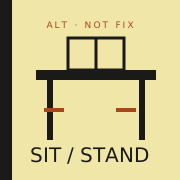
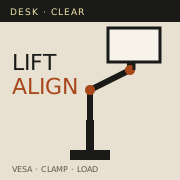
See /benefits/standing-desk/ and /benefits/monitor-arm/ for placement context.
More desk gear
Sources
Affiliate disclosure: product links, when present, may earn a commission. They never buy the verdict. Full ads policy.